Dispatch jobs to your
best techs first.

The VortechPro platform gives field service businesses Uber-style dispatching — tiered routing, live GPS, instant job alerts, immediate and scheduled jobs, and in-field credit card payments. Built for operators who want total control.

Dispatch now or schedule aheadReal-time GPS tracking 30 days free trial From $99/month Free updates forever
Download on the App StoreGet it on Google Play
See the product in action.

A look at the platform, step by step.

Step 01

Smart Tier Dispatch — Built for Speed

The system dispatches based on priority tiers you define. Built to prioritize your best technicians first.

🥇
Platinum Tier
30-second exclusive window to accept
🥈
Gold Tier
Receives lead if Platinum doesn't respond
🥉
Silver Tier
Final fallback for maximum coverage
Scale Into New States
Local jobs stay local — Techs won't see leads in other cities or states. The technician 5 minutes away gets pinged before the one 25 minutes out.

You decide who is Primary, First Fallback, and Second Fallback. Control your revenue flow.

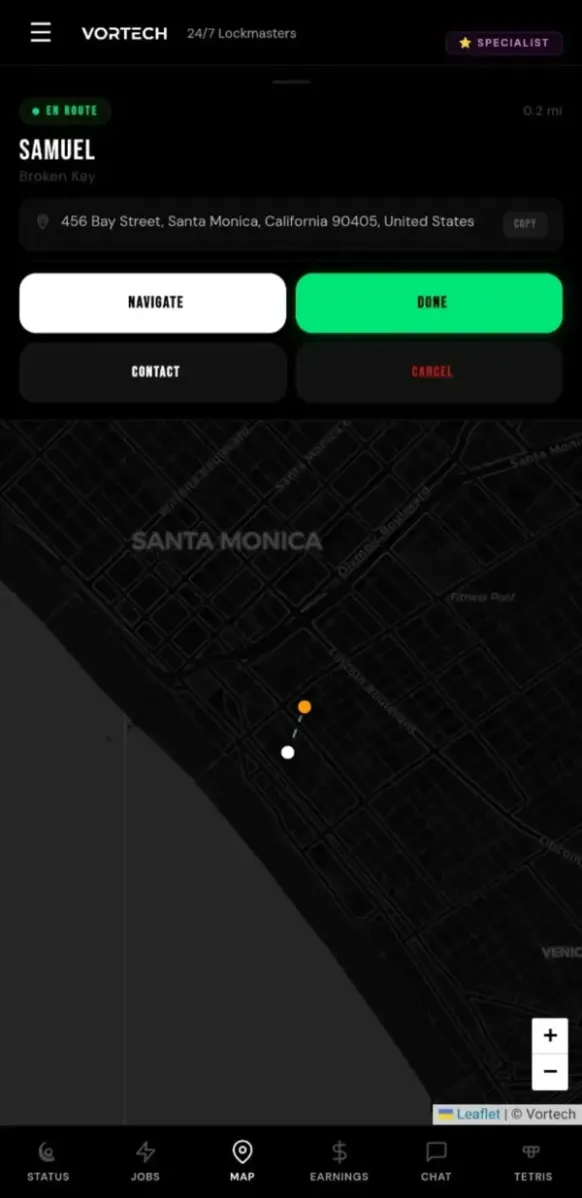
VortechPro app — live tech location
Step 02

Specialist Routing — Precision Targeting

If a lead is marked "Specialist Only", it is sent exclusively to technicians you've designated as Specialists.

  • You decide who qualifies as Specialist
  • High-value or complex jobs go to selected pros only
  • No randomness. No chaos. Just control.
Step 03

Technician Experience — Uber-Style Simplicity

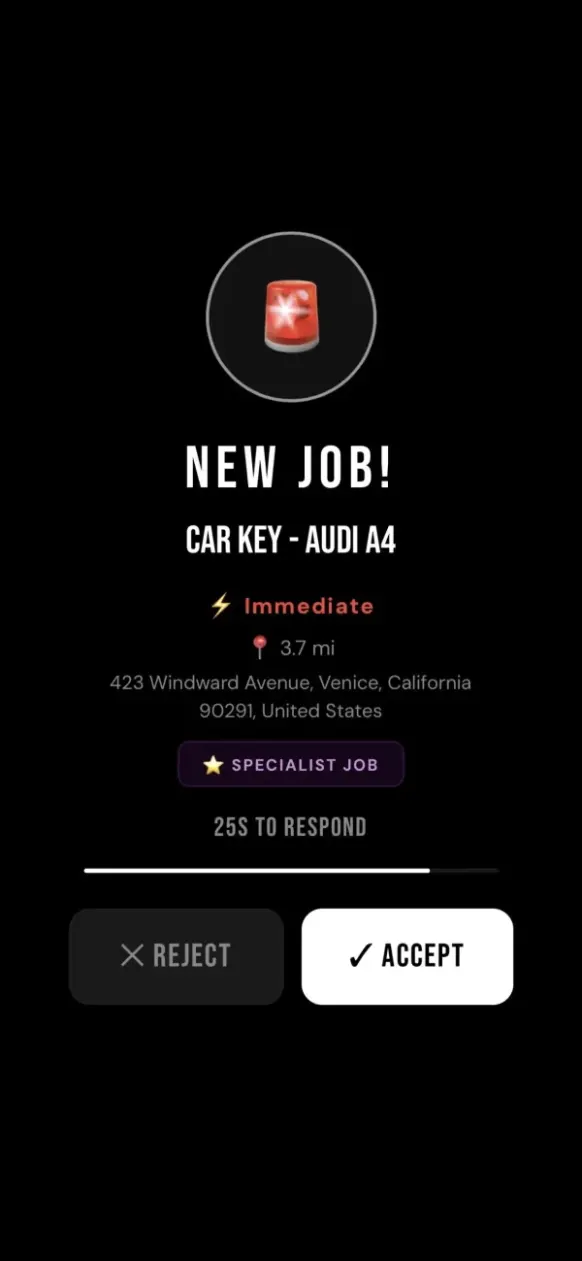
When a technician receives a job, the experience is fast, intuitive, and impossible to miss.

  • Loud notification ping sounds (like Uber)
  • Technician sees the job type, distance, and if it's for now or later
  • Press ACCEPT to claim the job
  • Tap CALL to reach the customer
  • Press NAVIGATE and start driving

Fast. Simple. Zero confusion.

VortechPro app — new job alert
Step 04

Charge the Card — Right There on the Job

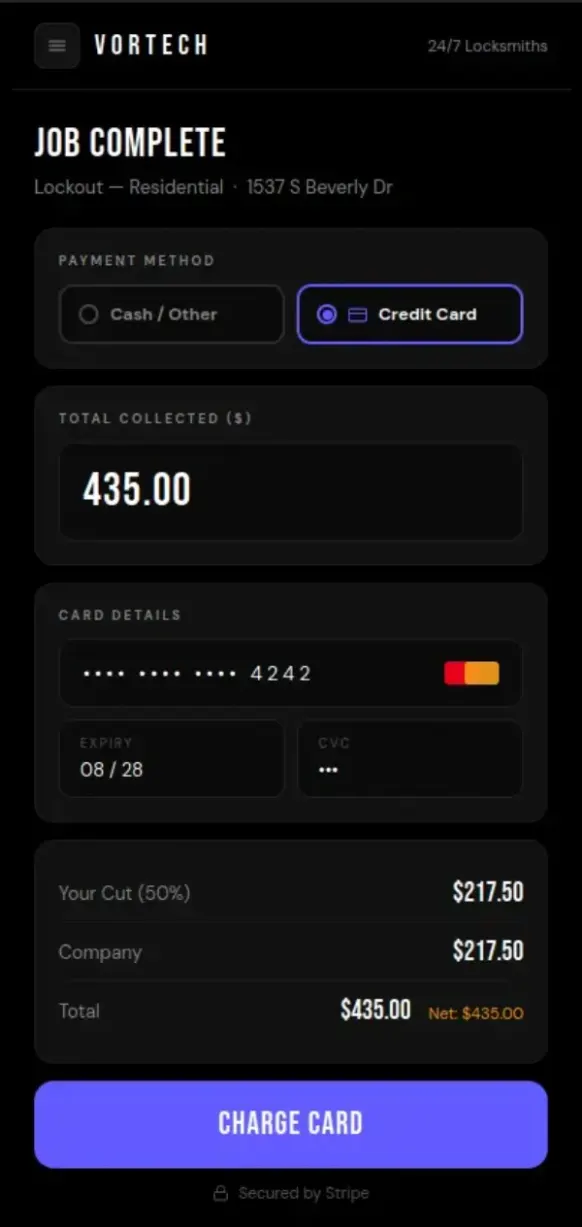
At job completion, the technician selects the payment method. If the customer is paying by card, the Stripe payment form opens directly in the app — no external terminal needed.

  • Select Credit Card at job completion — Stripe form opens instantly
  • Customer taps, swipes, or enters card details on the tech's phone
  • Payment processes in seconds — funds go straight into your Stripe account
  • Revenue split calculated automatically on the charged amount
  • Cash / Other option always available — card is never forced
  • Tech sees confirmation, job is marked done

No terminal. No third-party app. Just tap and done.

VortechPro app — card payment
Step 05

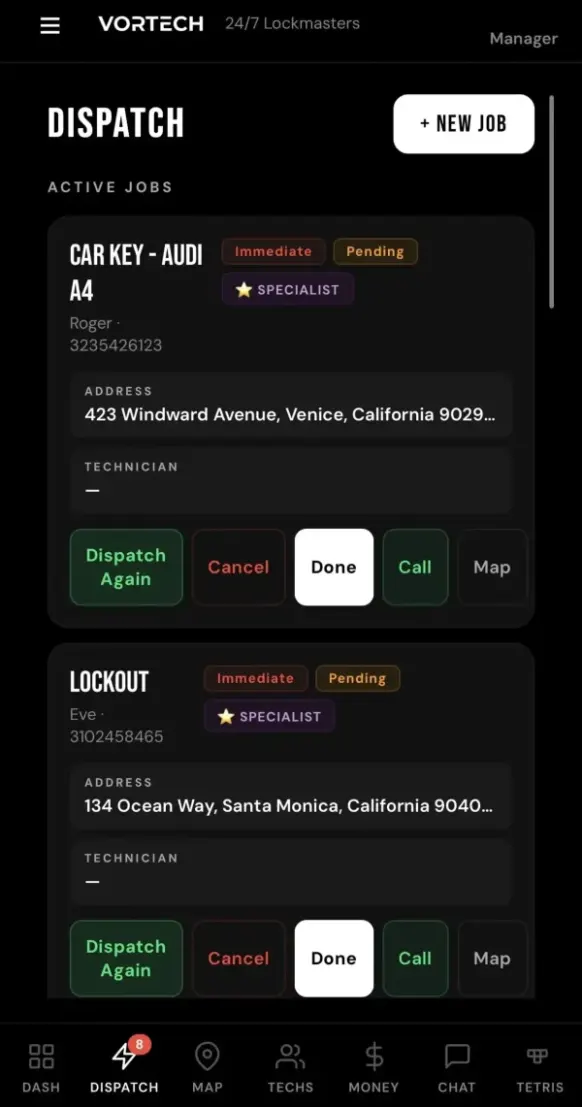
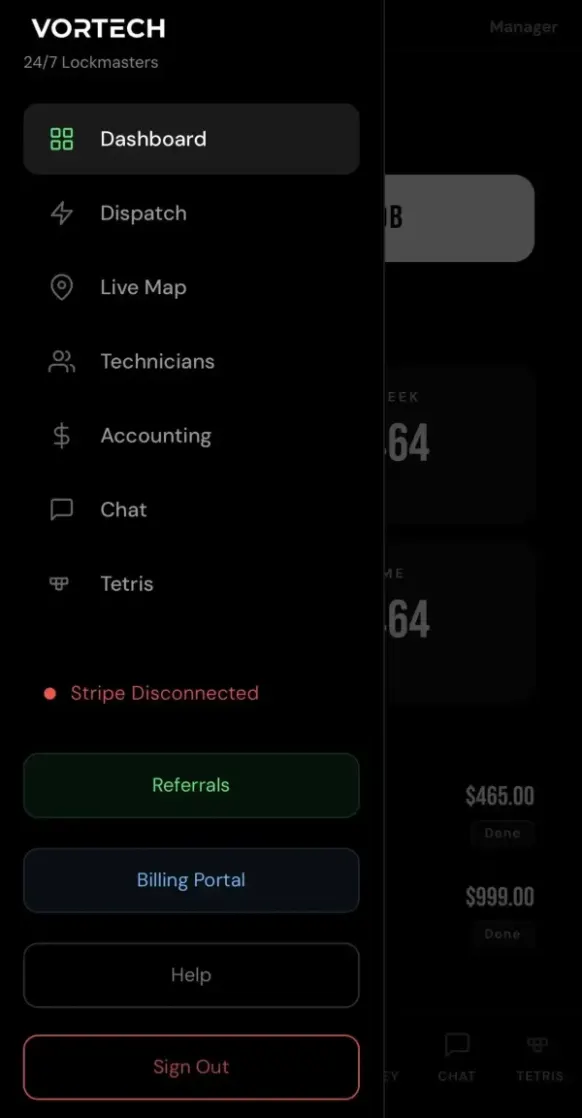
Office Dashboard — Your Command Center

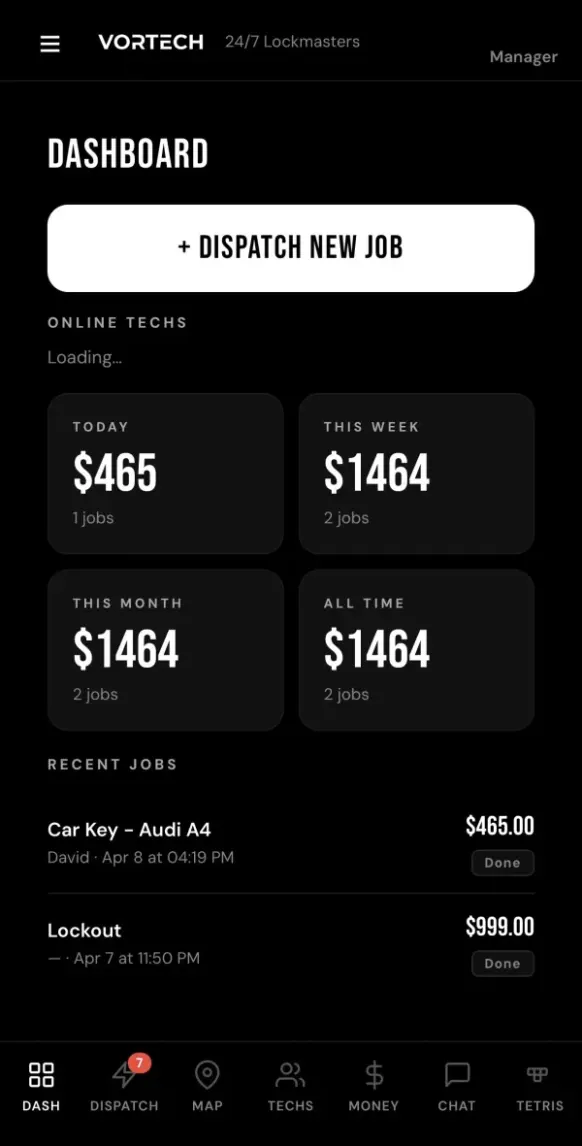
The office dashboard gives you complete operational authority in one clean interface. Everything you need — in one place.

  • Live real-time map of your crew with pins
  • Direct chat with your technicians
  • Send announcements to your team
  • Easy dispatch control & job management
  • Suspend, terminate, or reinstate technicians anytime
Step 06

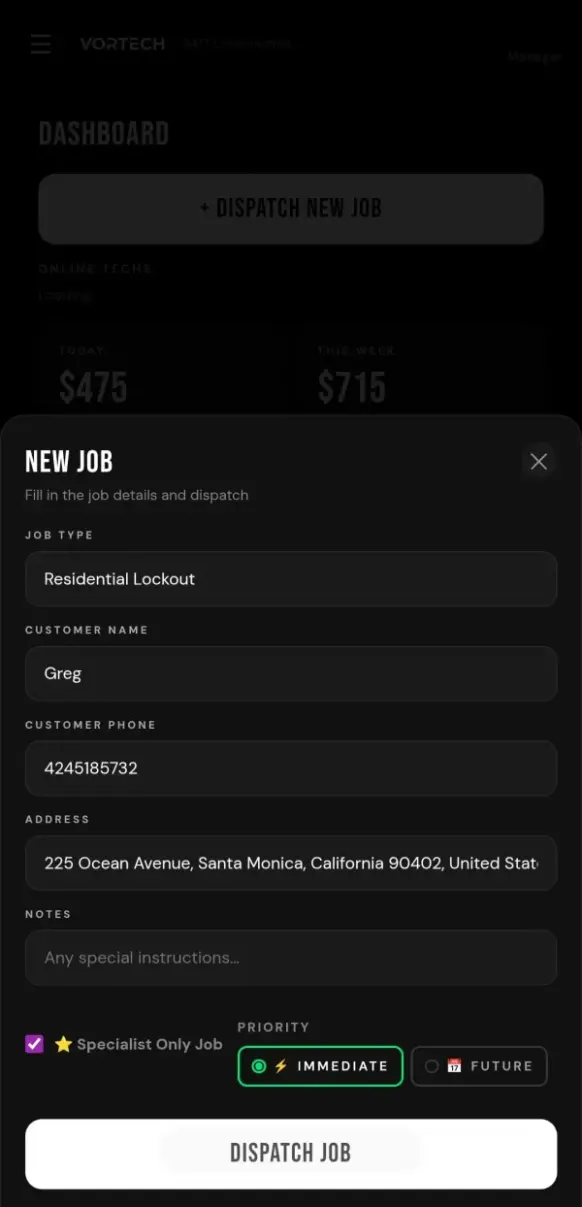
Lead Entry — Total Control Starts Here

The office receives a lead and enters it into the system. From that moment, smart dispatch logic takes over.

  • Enter customer name, address, service type
  • Select IMMEDIATE for now
  • Select SCHEDULED for a later date & time
  • Add job notes or special instructions for your technician
  • Mark as SPECIALIST ONLY if needed
  • Tap DISPATCH and let the system work for you
Step 07

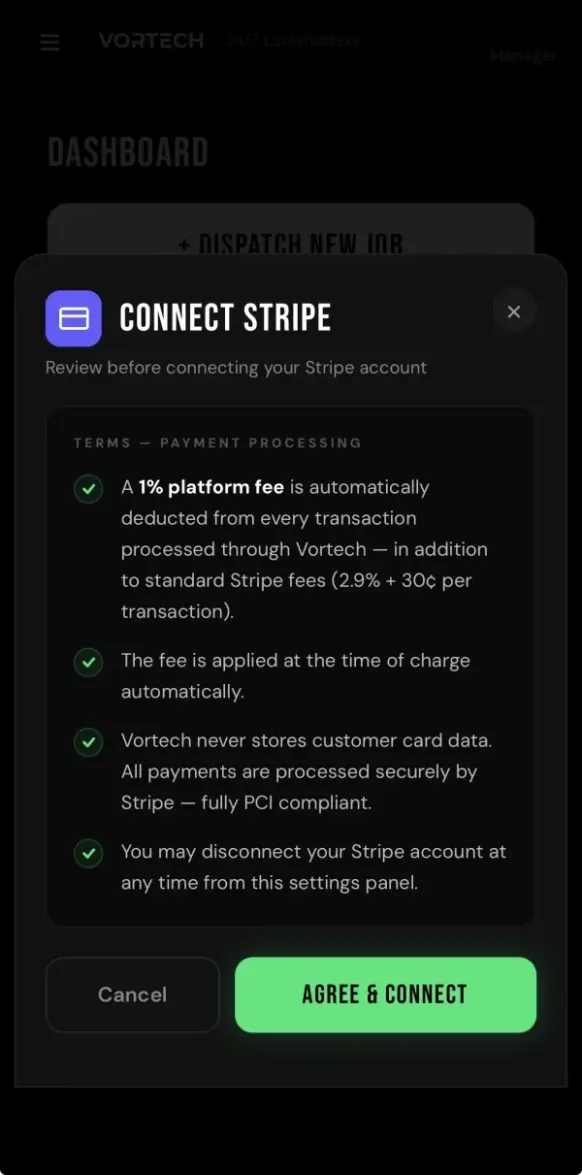
Connect Your Stripe — One-Time Setup

Before your first dispatch, connect your Stripe account from the office settings. Takes 60 seconds. Once it's done, your techs can charge customer credit cards in the field — funds go straight into your account.

  • Open the office menu and tap Connect Stripe
  • Agree to the payment processing terms
  • Authorize via Stripe — you're connected
  • Your techs can now accept card payments on every job
  • VortechPro never holds or touches your money — it goes directly to you
  • You handle your own payroll, taxes, and payouts — you're the boss

Your Stripe. Your money. Your rules.

Step 08

Reassignment — Stay Flexible

If a technician is delayed, cannot make it, or needs to drop the job, they can reassign the lead instantly.

  • Job returns to dispatch pool automatically
  • All available technicians get notified instantly
  • Redistributed based on your tier rules
  • Office can reassign any job at any time
  • Nothing gets stuck. Everything keeps moving.
Step 09

Job Management & On-the-Go Actions

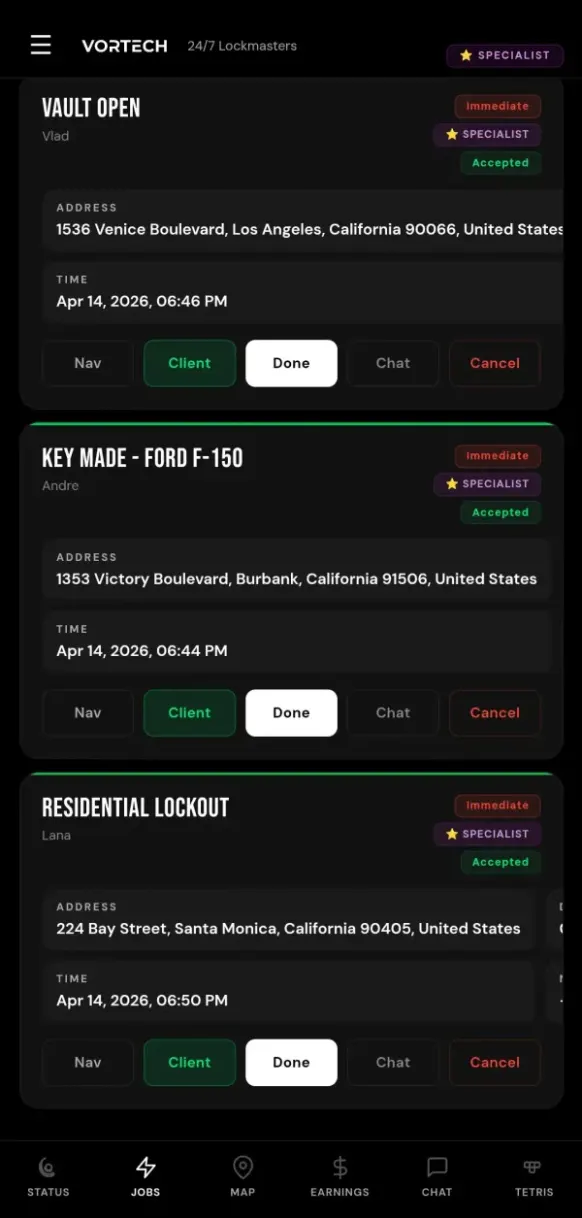
Technicians view their assigned and scheduled jobs in one place and can act on them in real time.

  • See current jobs and upcoming scheduled work
  • Tap into any job for full details and customer info
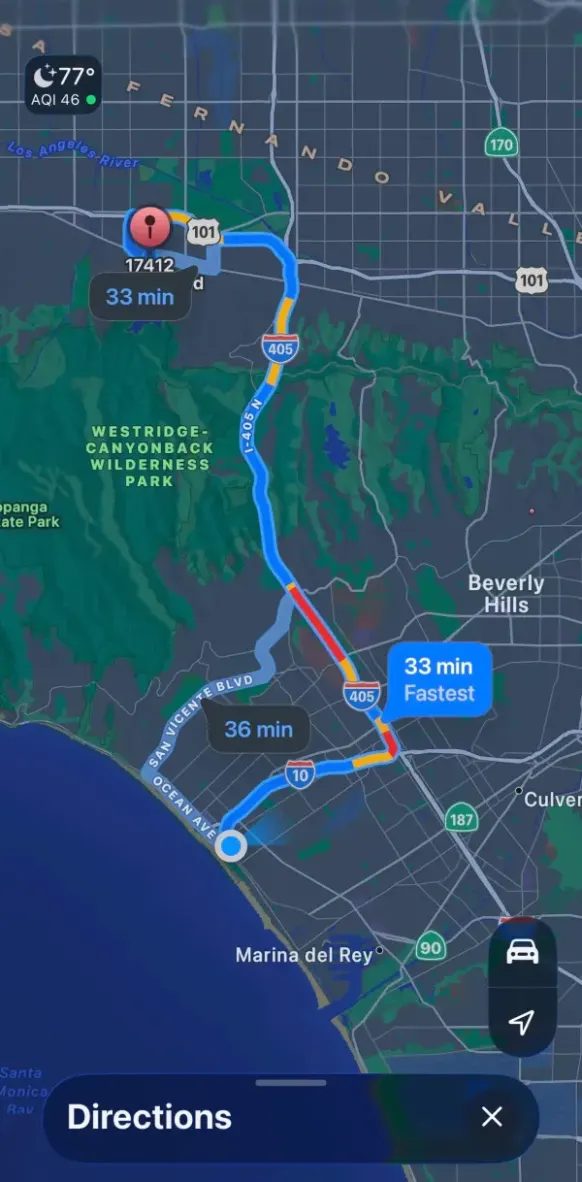
  • Navigate directly to the job location
  • Call or text the customer instantly from the app
  • If needed, cancel the job and send it back to the office for reassignment
  • Everything stays synced so the office is always up to date
Step 10

Job Completion, Revenue Split & Photo Documentation

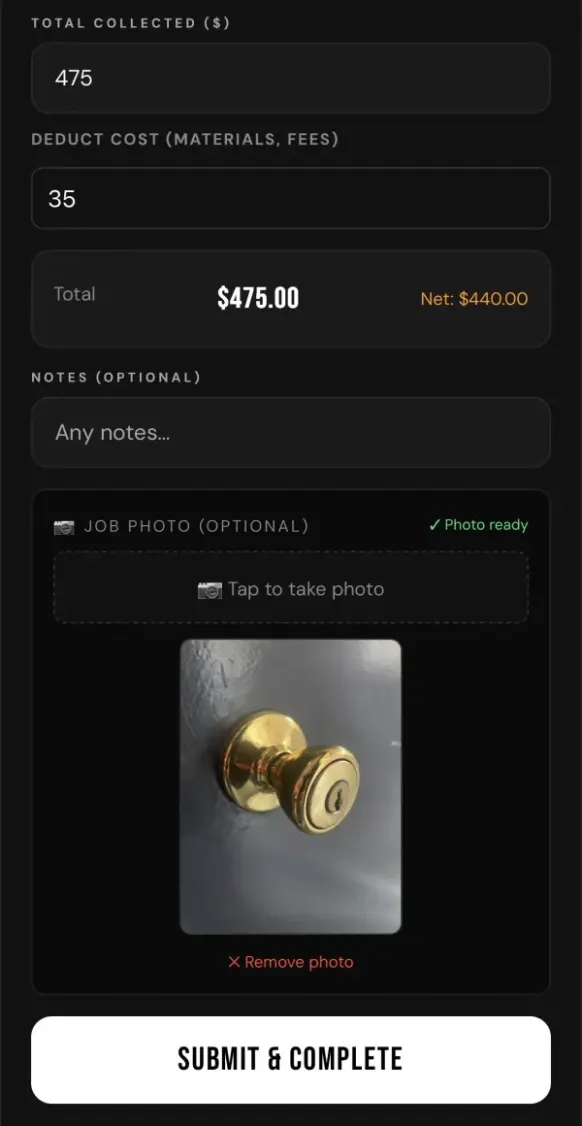
When the job is complete, the technician taps Done, enters job details, and submits proof of work.

  • Enter total amount collected from the customer
  • Deduct materials or job expenses before split
  • System automatically calculates the technician's cut based on their custom split percentage
  • Technician sees their payout instantly; office sees the same breakdown
  • One-tap photo captures completed work directly in-app
  • Photo compresses automatically and appears on the job card instantly
  • Auto-deletes after 30 days to keep storage clean
  • No spreadsheets, no manual math, no disputes
Step 11

Text Receipt to Customer

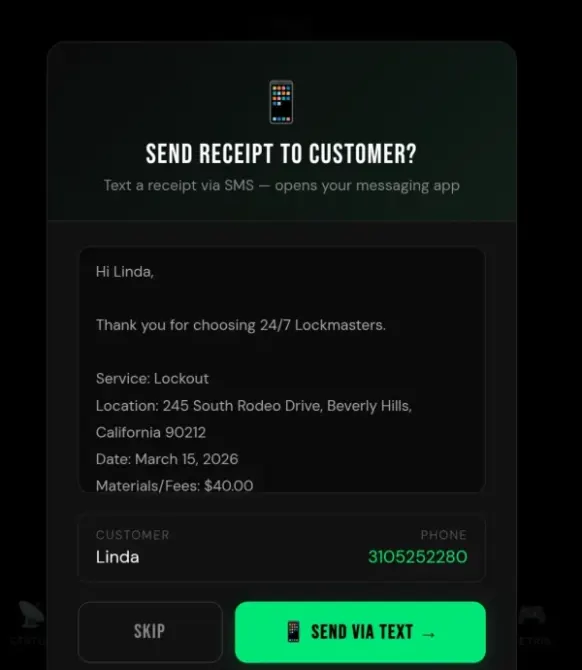
After completing the job, the technician can send the customer a job summary via text — one tap.

  • Pre-filled with company name, service, address, and total
  • Customer's phone number auto-populated from the job
  • Opens the native SMS app — tech just hits send
  • Professional touch that builds trust and repeat business
  • Completely optional — tap Skip to move on
Step 12

Weekly Earnings Lock — Clean Bookkeeping

Every Tuesday at 2:00 AM, the weekly earnings statement automatically closes.

  • Company owner reviews totals, pays technicians, then marks as PAID
  • Status turns green and shows as Paid
  • Technician sees the same update in their earnings statement
  • Full transparency. No confusion. No disputes.
Step 13

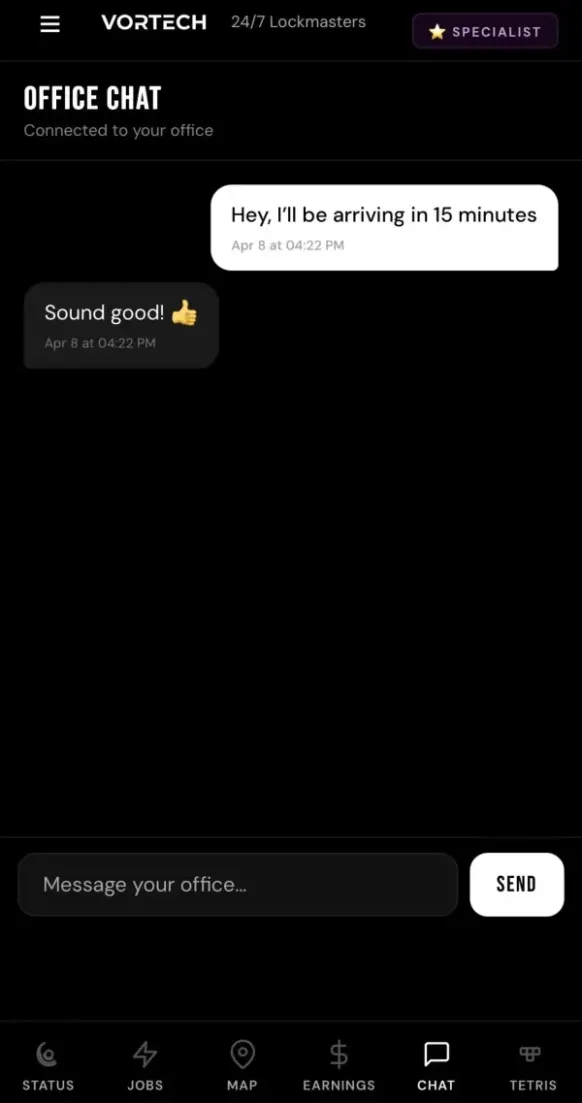
Real-Time Chat

Message your technicians instantly.

  • Keep everything in one place
  • No phone tag
  • No group texts
  • No third party apps

Every conversation lives inside the platform.

Step 14

Gamification — Boost Morale

Inside your branded app, technicians can engage with fun features that build culture.

🎮

Tetris Mini-Game

Technicians can play Tetris during downtime. Compete on your internal leaderboard and build healthy competition.

Step 15

Smart Logic = More Profit

Our software is built with intelligent dispatch logic designed to:

  • Increase response rates
  • Reduce technician downtime
  • Reduce company's overhead
  • Improve job distribution efficiency
  • Maximize company earnings

This system is designed to help you make more money and gets smarter as you use it.

Step 16

Subscription Promise

We believe in transparent, growth-aligned pricing.

  • Office + Technician App included
  • All features are always included
  • Updates are always free
  • No hidden fees
  • No nickel-and-diming

You can just focus on growth.

Enterprise power.
Startup price.

ServiceTitan costs a fortune and takes months to deploy. Jobber locks features behind tiers. VortechPro brings you Uber-style dispatch, live GPS, and full control — live in 5 minutes.

Feature
VORTECHPRO™
Jobber
ServiceTitan
Uber-Style Real-Time Dispatch
✓
✗
✗
Immediate & Scheduled Jobs
✓
✓
✓
Tiered Dispatch — Platinum, Gold & Silver
✓
✗
✗
Specialist-Only Jobs
✓
✗
✓
Live Tech GPS Map
✓
Limited
✓
Custom Split Per Technician
✓
✗
✓
Weekly Pay Tracking
✓
✓
✓
No Feature Add-Ons
✓
✗
✗
Free Trial
30 days
14 days
None
Setup Fee
$0
$0
$5K–$50K
Setup Time
5 minutes
3–4 days
8–12 weeks
Contract Required
None
None
12+ months
Platform Fee
1%
2.2%+
Varies
Price Per Month (10 techs)
$199
$349+
$2,450+
Built for the trades.

If you dispatch workers to customer locations, VortechPro is for you.

Simple Pricing.
Scale with Ease.

No contracts. No per-job fees. No revenue share. Just under $20 per month per technician. Cancel anytime.

30 Days Free
Vortech Pro™
$99/mo
+$20/mo for each additional technician
  • Up to 5 technicians included
  • Full access to all platform features
  • iOS and Android native mobile apps
  • Tiered dispatch: Platinum, Gold, Silver
  • Immediate dispatch and scheduled jobs
  • Live GPS tracking
  • Job photo documentation
  • Automatic pay splits & cost deductions
  • In-field card payments via Stripe
  • Accounting with CSV export
  • Real-time office-to-tech chat
  • Free customer support
  • 30-day free trial — cancel anytime
Start 30-Day Free Trial

Built after watching owners run their technicians from a group chat at 3 AM.

Field service teams don't need another glorified calendar with an enterprise bill attached. They need dispatch that thinks: send a job out right now or schedule it for any day and time, your best techs get first pick, specialist work goes to the right hands, and pay splits calculate themselves.

Payments go straight to your own Stripe account. We never hold your money. Live in minutes, secured with AES-256 encryption.

25+
Industries supported
3
Dispatch tiers
$99
For 5 techs
∞
Free updates

Stop Overpaying.
Start Dispatching.

Not convinced? Download the app and let us walk you through the dispatch flow hands-on on a demo account. 20 Minutes. Quick call. No hard-sell.

Request a Demo

Download the App

Download on the App StoreGet it on Google Play