Missed jobs, double-booked technicians, and customers calling back to ask where their tech is — these aren't just annoyances. They're revenue leaks. Manual service business workflows are error-prone and slow, often resulting in missed appointments and dissatisfied customers. For locksmith and home service operators, the margin for error is razor-thin. A single botched dispatch can cost you a five-star review, a repeat customer, and real money. This guide walks you through every step of upgrading your workflow using advanced dispatching, from auditing what you have now to measuring the ROI after rollout.
- Assessing your current workflow
- Preparing your service business for advanced dispatching
- Implementing an optimized, automated workflow: step by step
- Troubleshooting and fine-tuning your workflow
- Measuring results: efficiency gains and ROI
- Why human-in-the-loop beats full automation in service workflows
- Upgrade your workflow with advanced dispatch software
- Frequently asked questions
| Point | Details |
|---|---|
| Identify workflow bottlenecks | Start by understanding where slowdowns and errors happen most often in your process. |
| Leverage advanced dispatching | Switching to AI-powered dispatch dramatically increases speed and accuracy for service jobs. |
| Prepare your tech and team | Ensure you have the right infrastructure and staff training before deploying automation. |
| Monitor and adapt regularly | Keep a feedback loop going to fine-tune your workflow and maximize your ROI. |
Assessing your current workflow
With the need for improvement clear, the next logical step is to pinpoint where your current process is falling short. You can't fix what you haven't measured, and most operators are surprised by how much time and money inefficiency is quietly draining.
Start with an honest audit. Pull your last 90 days of job data and look for patterns. How long does it take from a customer call to a confirmed dispatch? How often do jobs run over their estimated time? How many callbacks did you handle because a tech showed up without the right tools or information?
Common symptoms of a broken workflow include:
- Technicians calling the office for job details instead of receiving them automatically
- Customers receiving no real-time updates on arrival time
- Dispatchers manually matching jobs to techs based on memory rather than data
- Invoices created hours or days after job completion
- No visibility into which jobs are profitable and which are not
These aren't just process problems. They're competitive disadvantages. Manual workflows are slower and prone to human error compared to AI-powered, automated solutions, and businesses that rely on spreadsheets or phone trees are already falling behind operators who have adopted automation over traditional processes.
"If your dispatcher is the single point of failure in your operation, your workflow has a critical vulnerability. One sick day, one distracted moment, and your whole schedule collapses."
The goal of an audit isn't to blame your team. It's to identify where the system is forcing people to work harder than they should. Once you have a clear picture, you're ready to build something better.
Preparing your service business for advanced dispatching
Once you've identified where your workflow is breaking down, it's time to set up your foundation for change. Jumping straight into new software without preparation is one of the most common mistakes operators make, and it's why so many implementations fail in the first 90 days.

Infrastructure and data readiness checklist:
| Preparation Area | What You Need | Why It Matters |
|---|---|---|
| Job history data | Last 12 months of job records | Trains routing and prediction models |
| Technician profiles | Skills, certifications, service zones | Enables accurate job-to-tech matching |
| Inventory records | Parts on hand, reorder thresholds | Prevents dispatching techs without needed parts |
| Customer records | Address, service history, preferences | Speeds up intake and improves satisfaction |
| Mobile devices | Smartphones or tablets for each tech | Required for GPS tracking and job alerts |
| Network connectivity | Reliable cellular or Wi-Fi in the field | Supports real-time data sync |
Moving to agentic AI dispatch requires explainability and technical trust, as well as hybrid edge/cloud setups in areas with poor network connectivity. In practical terms, this means your techs need reliable mobile devices, your office needs a stable internet connection, and your data needs to be clean before you migrate it.
Staff readiness is just as important as technical readiness. Change resistance is real. Dispatchers who have managed schedules manually for years may feel threatened by automation. Bring them into the process early. Show them how the new system handles the repetitive, stressful parts of their job so they can focus on exceptions and customer relationships.
Pro Tip: Run a two-week parallel operation where your team uses both the old and new system simultaneously. This reduces anxiety, catches data gaps, and builds confidence before you fully cut over.
Explore the available service business tools to assess which features align with your current infrastructure gaps. Matching your readiness level to the right toolset prevents overbuilding and under-delivering.
Implementing an optimized, automated workflow: step by step
Now you're ready to put your plan in motion. Here's how to roll out advanced dispatching, one step at a time.
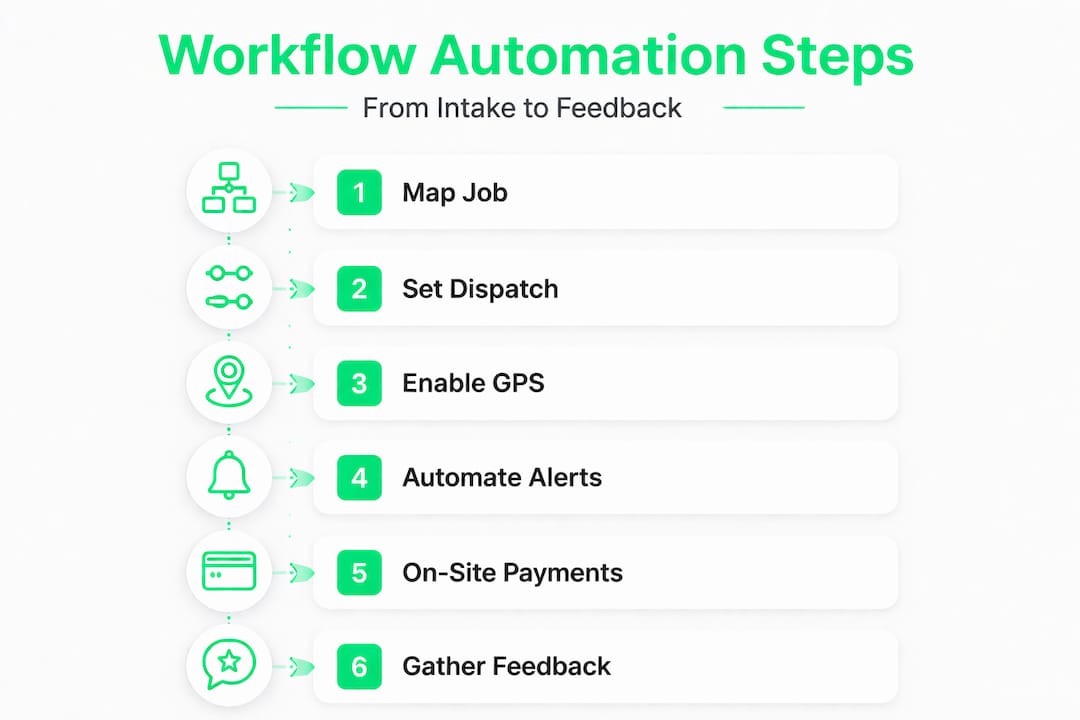
Step 1: Map your ideal job lifecycle. Before touching any software, document what a perfect job looks like from first call to final payment. Include every touchpoint: intake, dispatch, en-route notification, on-site work, invoice, and follow-up.
Step 2: Configure your dispatch rules. Set up tiered routing logic based on technician skill, proximity, and availability. A locksmith getting an emergency lockout call should be matched to the nearest available tech with the right credentials, not just whoever is free.
Step 3: Activate live GPS tracking. Real-time location data eliminates the "where is my tech?" call. Customers get accurate ETAs. Dispatchers can reroute on the fly when traffic or job overruns happen.
Step 4: Set up automated job alerts. Every status change, from dispatch to arrival to completion, should trigger an automatic notification to the customer. This alone reduces inbound calls by a significant margin.
Step 5: Enable in-field payment processing. Techs should be able to collect payment on-site the moment the job is done. Delayed invoicing creates cash flow gaps and increases the chance of non-payment.
Step 6: Build your feedback loop. After each job, capture a quick customer satisfaction rating and a tech debrief. Feed this data back into your dispatch rules to continuously improve matching accuracy.
Here's how a manual workflow compares to an automated one for a typical emergency lockout:
| Stage | Manual workflow | Automated workflow |
|---|---|---|
| Customer call to dispatch | 8-12 minutes | Under 60 seconds |
| Tech notification | Phone call, often missed | Instant push alert |
| Customer ETA update | None or manual call | Automatic SMS with live GPS link |
| Invoice creation | End of day or next day | Generated on-site at job completion |
| Payment collection | Check or delayed card | In-field card processing, instant |
| Job data recorded | Manual entry, often incomplete | Auto-logged with all details |
Advanced dispatch uses real-time AI to dynamically assign technicians, predict maintenance needs, and even facilitate AR remote support for complex jobs. This isn't future technology. It's available now through platforms built specifically for field service operations.
Pro Tip: For locksmith-specific workflows, review how dispatch software for locksmiths handles emergency call prioritization. Not all platforms treat urgency the same way, and for locksmiths, speed of response is a direct revenue driver.
If your business spans multiple service types, also look at how a field service dispatch platform handles multi-trade routing. Operators running both locksmith and garage door services, for example, need dispatch logic that can distinguish job types and match them to the right tech automatically. You can also review how dispatch software for mobile mechanics approaches similar multi-skill routing challenges for additional context.
Troubleshooting and fine-tuning your workflow
Any major workflow change faces hurdles. Here's how to get ahead of the most common challenges.
The first 30 days after rollout are the most critical. This is when gaps in your data, edge cases in your routing logic, and staff adoption issues will surface. Treat this period as a tuning phase, not a failure phase.
Red flags to watch for after rollout:
- Dispatch accuracy drops below 85% (jobs assigned to the wrong tech or zone)
- Customer satisfaction scores decline despite faster response times
- Techs bypassing the system and calling the office directly
- Automated alerts firing at the wrong time or with incorrect information
- Payment processing errors or incomplete job records
Field feedback loops and adaptivity are key. AI systems outperform only when monitored, tuned, and supported with staff input. This means your dispatchers and techs aren't just users of the system. They're active contributors to its accuracy.
"Automation doesn't run itself. The businesses that get the most out of advanced dispatch are the ones that treat their feedback loop as a daily practice, not a quarterly review."
Build a weekly check-in into your operations rhythm. Review dispatch accuracy, customer feedback, and any jobs that required manual override. Each override is a signal that a routing rule needs adjustment or that an edge case needs to be accounted for.
When automation fails, the fix is almost always in the data. A tech assigned to a job outside their skill set usually means their profile is incomplete. A customer receiving the wrong ETA usually means GPS sync is delayed. Investigate the data layer before blaming the software. For more on how AI and AR remote support can extend your team's capabilities in the field, explore how modern platforms handle complex job escalation.
Measuring results: efficiency gains and ROI
With your new system running, tracking and interpreting results is critical for ongoing improvement.
The metrics that matter most for home service and locksmith businesses are response time, on-time completion rate, first-time fix rate, and customer satisfaction score. These four numbers tell you whether your workflow is actually performing or just looking good on paper.
| Metric | Pre-automation benchmark | Post-automation target | Why it matters |
|---|---|---|---|
| Time from call to dispatch | 8-15 minutes | Under 2 minutes | Faster response wins more jobs |
| On-time job completion rate | 65-75% | 88-95% | Drives repeat business and reviews |
| First-time fix rate | 70-80% | 88-95% | Reduces costly return visits |
| Customer satisfaction score | 3.8-4.2 / 5 | 4.5-4.9 / 5 | Directly impacts referrals |
| Invoice-to-payment cycle | 2-5 days | Same day | Improves cash flow immediately |
ROI calculation is straightforward. Take the number of additional jobs completed per week due to faster dispatch, multiply by your average job value, and compare that to your monthly platform cost. Most operators see positive ROI within 60 to 90 days of full implementation.
Automated, AI-enhanced dispatching enables scalable growth and improved customer satisfaction compared to manual alternatives. For a locksmith running 20 jobs per day, shaving even 10 minutes off average job cycle time can mean fitting in two to three additional jobs per shift.
Stat to track: If your on-time completion rate improves from 70% to 90%, and you run 400 jobs per month at an average value of $150, that's 80 additional successful jobs per month. At $150 each, that's $12,000 in recovered revenue monthly.
For businesses running garage door services alongside locksmith work, reviewing how dispatch software for garage door companies approaches multi-service ROI tracking can give you a useful benchmark for your own performance goals.
Why human-in-the-loop beats full automation in service workflows
Here's a perspective that doesn't get enough airtime in the software sales conversation: full automation is not the goal.
The operators who get the best results from advanced dispatch aren't the ones who hand everything over to the algorithm. They're the ones who use automation to handle the predictable, repetitive parts of the job while keeping experienced people in the loop for judgment calls.
Think about a locksmith dispatcher who has worked your territory for three years. She knows that the apartment complex on Riverside Drive always has parking issues that add 15 minutes to any job. No AI has that data yet. Her input, fed back into the routing system over time, makes the algorithm smarter. That's the human-in-the-loop advantage.
Agentic AI is powerful, but trust, explainability, and continued human oversight remain essential to service business success. This isn't a limitation of the technology. It's a design principle. The best dispatch platforms are built to surface decisions to humans, not hide them.
The businesses that struggle with automation are usually the ones that treat it as a replacement for thinking rather than a tool for thinking faster. When a routing decision looks wrong, a good dispatcher should be able to override it, log the reason, and trust that the system learns from that correction.
Adaptive feedback loops are what separate a workflow that improves over time from one that plateaus. Your dispatch management insights should be reviewed regularly, not just when something breaks. Build a culture where your team sees their input as valuable to the system, not just noise around it.
The uncomfortable truth is that most failed automation projects fail because of people problems, not technology problems. Invest in your team's understanding of the system, and the system will return the favor.
Upgrade your workflow with advanced dispatch software
If you're ready to put these workflow strategies into action, industry-specific software can help you accelerate results significantly.
The Vortech Pro™ platform is built for exactly the kind of operations this guide describes. Uber-style tiered routing, live GPS tracking, instant job alerts, and in-field credit card processing are all built in, not bolted on. You get total visibility into every job, every tech, and every dollar.
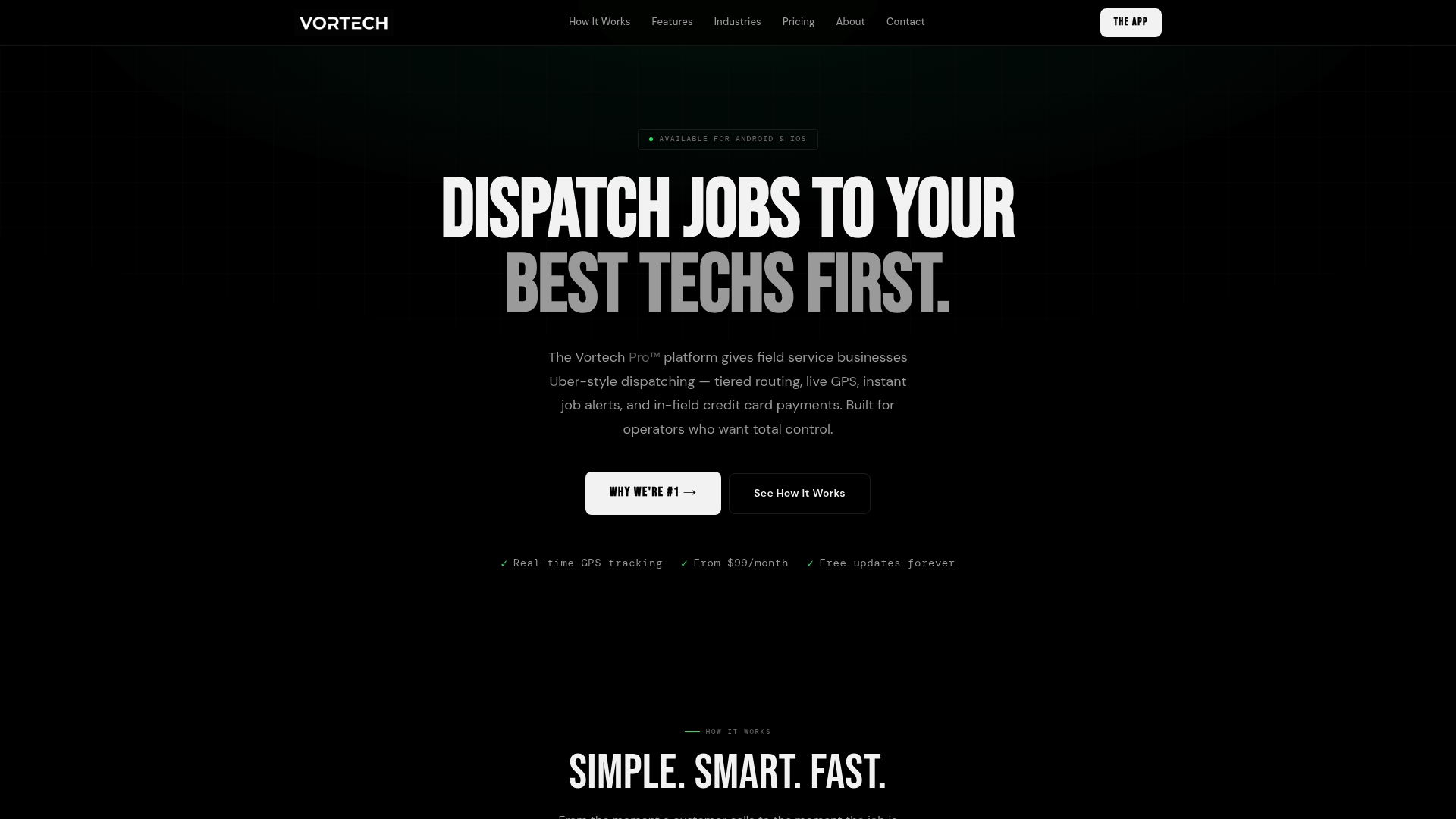
Getting started is straightforward. Access the full suite of free business tools to evaluate your current workflow gaps, then explore the advanced dispatch platform to see how Vortech Pro™ maps to your specific operation. Whether you're running a solo locksmith shop or managing a multi-crew home service company, the platform scales with your business without adding complexity.