Every missed job, every frustrated customer calling back to ask "where is your tech?", and every double-booked appointment costs you money and reputation. For locksmith and home service managers running crews across multiple zones, dispatch confusion is not just an annoyance. It is a direct drain on revenue. Mobile dispatch changes that equation completely, turning reactive scrambling into proactive, real-time coordination. This guide breaks down exactly what mobile dispatch is, how it works, and what steps you can take today to put it to work for your team.
- What is mobile dispatch? A clear and simple explanation
- Key benefits of mobile dispatch for service teams
- How mobile dispatch works: Step-by-step for managers
- Challenges, solutions, and best practices for adopting mobile dispatch
- Why most small service businesses undervalue mobile dispatch (and what experts know)
- Take the next step: Boost your service operations
- Frequently asked questions
| Point | Details |
|---|---|
| Mobile dispatch defined | Mobile dispatch uses real-time technology to assign and manage field jobs efficiently. |
| Major service team benefits | Teams gain speed, cut costs, and improve customer satisfaction with mobile dispatch. |
| Step-by-step adoption | Managers follow simple digital workflows to assign, update, and track jobs on the go. |
| Best practices matter | Successful adoption requires good onboarding, training, and open communication. |
| Growth lever | Viewed strategically, mobile dispatch drives competitive advantage, not just efficiency. |
What is mobile dispatch? A clear and simple explanation
Mobile dispatch is the practice of assigning, tracking, and managing field jobs using connected devices like smartphones, tablets, or laptops, rather than relying on phone calls, whiteboards, or paper schedules. The core idea is simple: every piece of job information flows digitally between your office and your technicians, in real time.
Mobile dispatch involves the real-time assignment and management of jobs using connected devices, improving response times and communication across your entire operation. That means when a customer calls in a lockout at 11 PM, your dispatcher can see which tech is closest, assign the job instantly, and have the tech navigating to the address within seconds. No phone tag. No guessing.
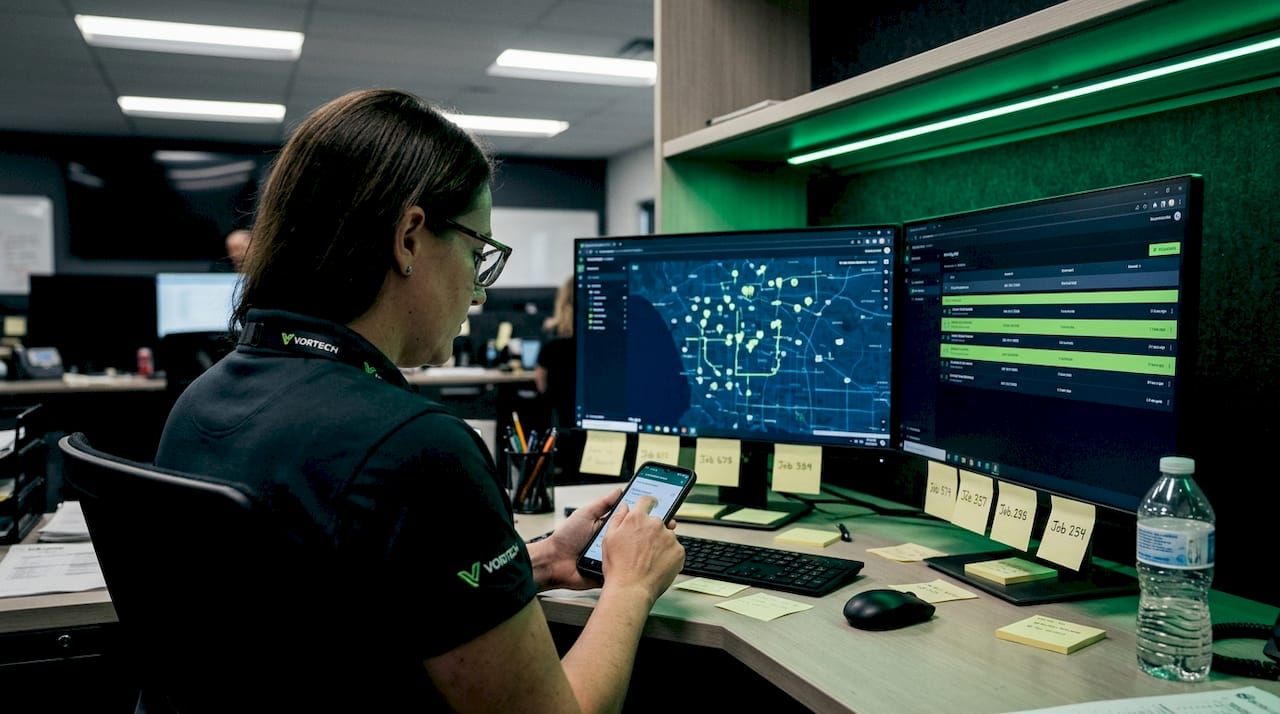
For a locksmith company, this looks like a dispatcher opening a live map, seeing three techs in the field, and dragging a new job card to the nearest available technician. That tech gets a push notification with the address, job type, and customer contact info. For a plumbing or HVAC company, the workflow is identical. The platform adapts to your job types and territories.
Here is what mobile dispatch typically handles in a real-world home service scenario:
- Job intake: New service requests enter the system from your website, phone, or app
- Technician visibility: You see every tech's live location and current job status
- Smart assignment: Jobs are routed based on proximity, skill set, or workload balance
- Digital job cards: Techs receive full job details on their mobile device, no paper needed
- Status updates: Techs mark jobs as "en route," "on site," and "completed" in real time
- Customer notifications: Automated ETAs and arrival alerts go directly to the customer
Pro Tip: Look for dispatch software that integrates with your existing scheduling and CRM tools. The best systems, including options reviewed in our guide to the best dispatch software for mechanics, connect seamlessly with billing and customer history so your team never has to switch between apps mid-job.
The difference between mobile dispatch and traditional dispatch is the same as the difference between texting someone directions versus reading them over a crackling radio. One is clear, instant, and documented. The other leaves too much room for error.
Key benefits of mobile dispatch for service teams
Now that we have defined mobile dispatch, let us look at what concrete advantages it brings to your business, your team, and your customers. The benefits are measurable and they compound over time.
Companies using mobile dispatch report fewer missed appointments and improved customer satisfaction across a range of service verticals. That is not a vague claim. It shows up in callback rates, review scores, and repeat business.
Here is a breakdown of the key benefit categories:
| Benefit area | Traditional dispatch | Mobile dispatch |
|---|---|---|
| Job assignment speed | 5 to 15 minutes via phone | Under 60 seconds via app |
| Technician location tracking | Manual check-ins or calls | Live GPS in real time |
| Customer ETA accuracy | Estimated, often wrong | Automated, GPS-based |
| Double-booking risk | High, manual scheduling | Low, automated conflict detection |
| Overtime and idle time | Frequent, untracked | Reduced through route optimization |
| Paperwork and errors | Common | Minimal, digital records |
The efficiency gains are real. When a locksmith tech finishes a job and the system automatically surfaces the next closest call, you eliminate the five-minute lag of a phone call, the miscommunication about the address, and the wasted fuel from a suboptimal route. Multiply that by eight jobs a day across four techs, and you are recovering hours of productive time every single week.
Beyond speed, mobile dispatch improves accuracy. Double-booking is one of the most damaging mistakes a service company can make. A customer who waits three hours and then gets told their appointment was accidentally given to someone else rarely calls back. Automated scheduling conflict detection prevents this entirely.
For your customers, the experience shifts from anxious waiting to confident tracking. When a customer gets a text that says "Your technician is 12 minutes away," they stop calling your office. That frees up your dispatcher to handle new calls instead of managing existing ones.
"The real ROI of mobile dispatch is not just in the jobs you complete faster. It is in the jobs you do not lose because a customer got frustrated and called your competitor."
Cost savings also add up fast. Better routes mean less fuel. Fewer callbacks mean less overtime. Accurate job records mean cleaner invoicing and fewer billing disputes. For field service management for locksmiths, these savings can be the difference between a profitable month and a break-even one.
How mobile dispatch works: Step-by-step for managers
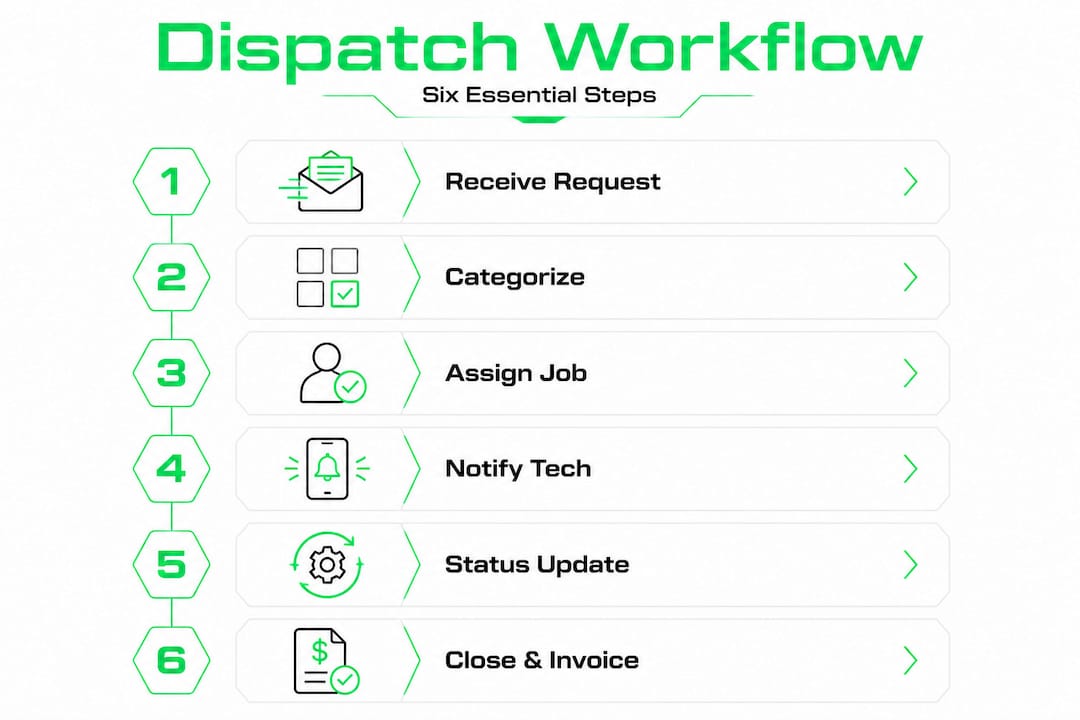
Understanding the benefits is one thing. Knowing the actual workflow is what lets you implement it confidently. Here is how mobile dispatch works from a manager's perspective, step by step.
The software platform allows dispatchers to view available technicians, job locations, and schedule assignments within a unified dashboard. That single screen is your command center.
Step 1: Receive and categorize the service request
A customer submits a request via phone, online form, or app. The system logs it automatically, captures the address, job type, and urgency level, and places it in a queue. No sticky notes. No lost calls.
Step 2: View technician locations and availability
Your dispatcher opens the live map. Every active tech shows up as a pin with their current status: available, en route, or on site. You can see who is finishing up in 10 minutes and who is tied up for another hour.
Step 3: Assign the job
Using the dispatch software for locksmiths, you assign the job based on proximity, the tech's certifications, or their current workload. Some platforms do this automatically using tiered routing logic, similar to how rideshare apps match drivers to riders.
Step 4: Technician receives the job on their device
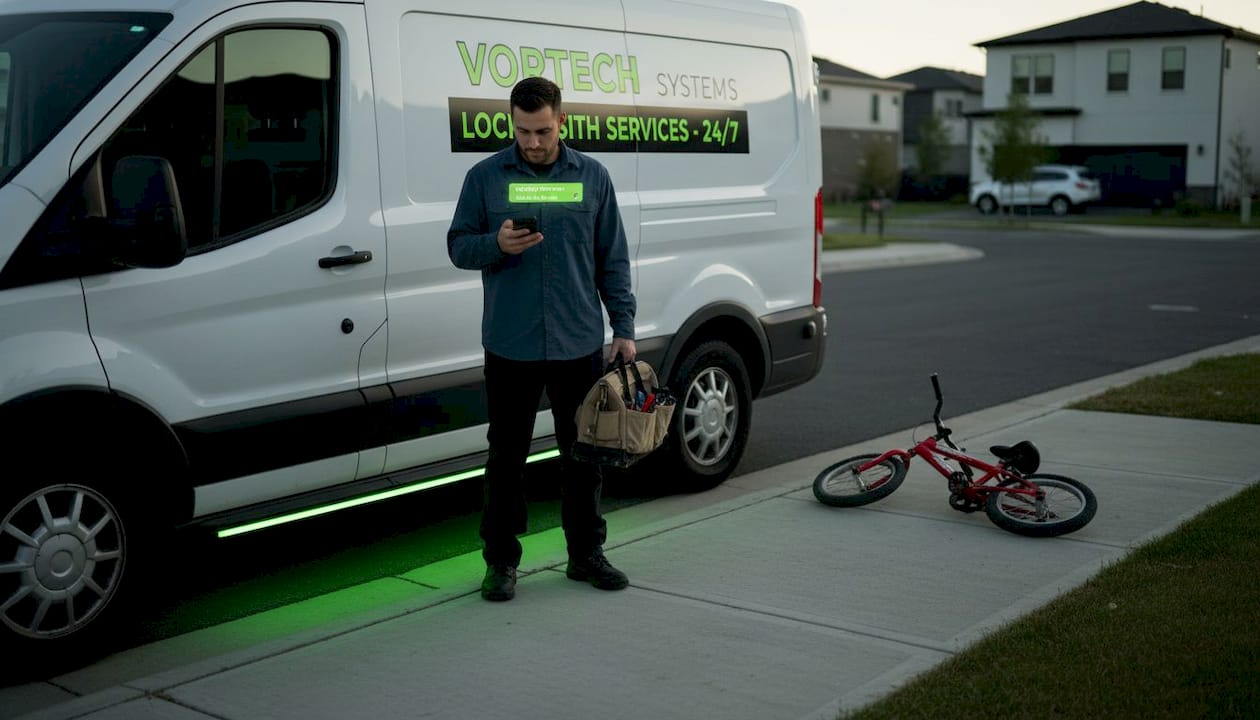
The assigned tech gets an instant push notification with the full job card: customer name, address, job type, special instructions, and turn-by-turn navigation. They accept and hit the road. No phone call needed.
Step 5: Real-time status updates flow back
As the tech moves through the job, they update the status on their device. The office sees every change instantly. The customer receives automated notifications. If something changes, like a job running long, the dispatcher can reassign or adjust on the fly.
Step 6: Job completion and invoicing
When the job is done, the tech closes it out in the app, captures a signature if needed, and processes payment on the spot. Using an estimate generator integrated with dispatch means the invoice is already pre-populated with job details before the tech even knocks on the door.
Pro Tip: Set up notification rules for urgent job types. A lockout or emergency call should trigger an immediate alert to the dispatcher and the nearest available tech, not just sit in a queue waiting to be reviewed.
Here is a quick comparison of manual versus mobile dispatch workflows:
| Workflow stage | Manual process | Mobile dispatch process |
|---|---|---|
| Request intake | Phone call, written log | Auto-logged, digital queue |
| Tech assignment | Phone or radio | One-click or auto-assign |
| Route planning | Tech figures it out | GPS-optimized, sent to device |
| Status updates | Phone check-ins | Real-time app updates |
| Invoicing | Paper or later entry | In-field, instant |
Challenges, solutions, and best practices for adopting mobile dispatch
Knowing how mobile dispatch works is valuable. Knowing what can go wrong during adoption is what separates a smooth rollout from a frustrating one. Most challenges are predictable and solvable.
Businesses that invest time in proper onboarding and training see quicker returns and better employee adoption across the board. The data supports this consistently.
Here are the most common challenges and practical solutions:
- Resistance to technology change: Some techs, especially those with years of experience using radio or phone dispatch, will push back. The solution is not to mandate and move on. It is to involve them early, show them how the app makes their day easier, and let them see results quickly.
- Upfront training time: Training takes time, and service businesses rarely have slack in their schedules. Build a structured onboarding plan with short, focused sessions. Most platforms offer video tutorials and in-app guides that techs can reference on the job.
- Integration with existing workflows: If your scheduling, billing, and CRM tools are separate systems, connecting them to a new dispatch platform can feel overwhelming. Choose software that offers native integrations or open API connections. Platforms designed for garage door dispatch software and locksmith operations typically come with pre-built integrations for common tools.
- Hidden costs and pricing surprises: Some platforms advertise low base prices but charge extra for GPS tracking, SMS notifications, or payment processing. Review pricing carefully. Understanding the hidden fees in Housecall Pro and similar platforms helps you make a fair comparison before you commit.
- Data migration: Moving your customer records and job history to a new system can be tedious. Ask vendors about their migration support before signing up.
Pro Tip: Start with a pilot group of two or three of your most adaptable techs. Let them use the platform for two to three weeks, gather their feedback, and let them become internal champions. When the rest of the team sees their colleagues succeeding with it, adoption accelerates naturally.
Keep communication open throughout the rollout. Hold a brief weekly check-in to address concerns, celebrate early wins, and reinforce the habits that make the system work. The technology is only as effective as the team using it.
Why most small service businesses undervalue mobile dispatch (and what experts know)
Here is an honest observation: most managers who look at mobile dispatch software see a scheduling app. They evaluate it on whether it saves time on job assignments. That is a narrow view, and it leads to underinvestment in one of the highest-leverage tools available to a growing service business.
Mobile dispatch is not just an operations upgrade. It is a growth engine when used strategically. Every faster job completion is a potential extra job in the same day. Every accurate ETA is a customer who leaves a five-star review instead of a complaint. Every clean digital job record is data you can use to identify your most profitable job types, your best-performing techs, and your highest-value service zones.
The locksmith and home service companies that scale past five, ten, or twenty technicians are almost never the ones with the best marketing. They are the ones with the tightest operations. When your dispatch is clean, you can take on more volume without chaos. When your techs are routed efficiently, your labor costs stay predictable. When your customers get consistent communication, your referral rate climbs.
There is also a competitive angle that most small operators miss. In most local markets, the majority of locksmith and home service companies are still running on phone-based dispatch or basic scheduling apps. The company that adopts real-time mobile dispatch first in a given market gets a measurable service quality advantage. Faster response times, better communication, and fewer errors are things customers notice and talk about.
What experts in mobile dispatch expert insights consistently point out is that the technology choice matters less than the process change. You can buy the best dispatch platform available and still see mediocre results if your team does not change how they handle job flow, communication, and accountability. The app enables the process. The process drives the results.
Culture and process are the real variables. Invest as much in those as you do in the software itself.
Take the next step: Boost your service operations
If this guide has made one thing clear, it is that mobile dispatch is not a luxury for large companies. It is a practical, accessible upgrade that pays for itself quickly in time saved, jobs completed, and customers retained.
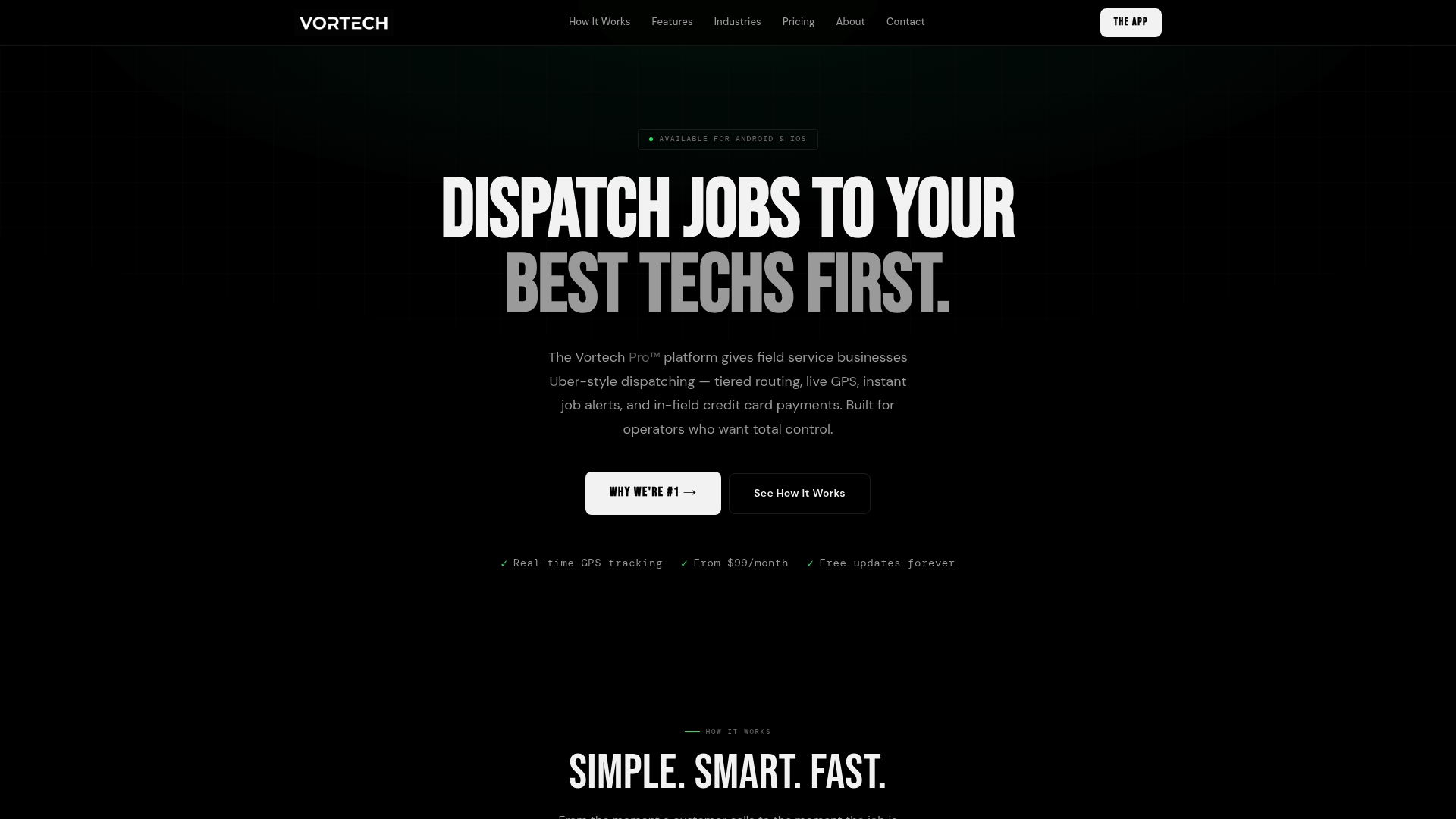
Vortech Pro™ is built specifically for field service operators who want total control over their dispatch, routing, and payments without the complexity of enterprise software. Explore free service business tools to start streamlining your operations today, from estimate generators to job tracking resources. When you are ready to see what a purpose-built mobile dispatch platform looks like in practice, the Vortech Pro dispatch software gives your team live GPS tracking, tiered routing, instant job alerts, and in-field credit card processing in one clean interface. The next job your team handles could be faster, smoother, and more profitable than anything you ran last week.